
bandcamp album gallery wordpress plugin
Every Bandcamp release, arranged into one living gallery.
Drop in an artist URL and the plugin discovers every album and track, then renders them as a responsive, playable grid — no manual embedding, no keeping things up to date by hand.
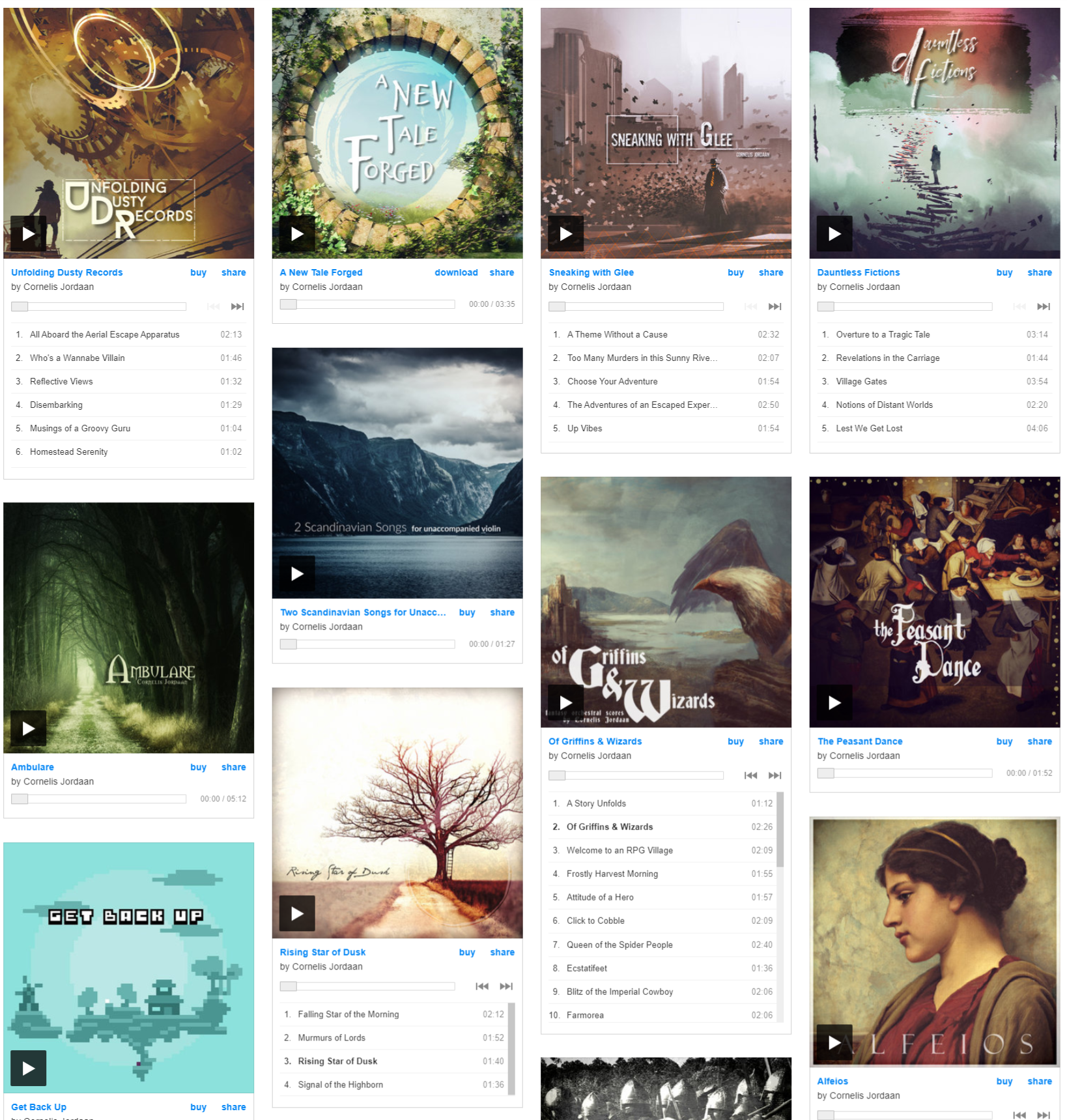
Default layout. Every album rendered with its full playable tracklist in a responsive masonry grid.
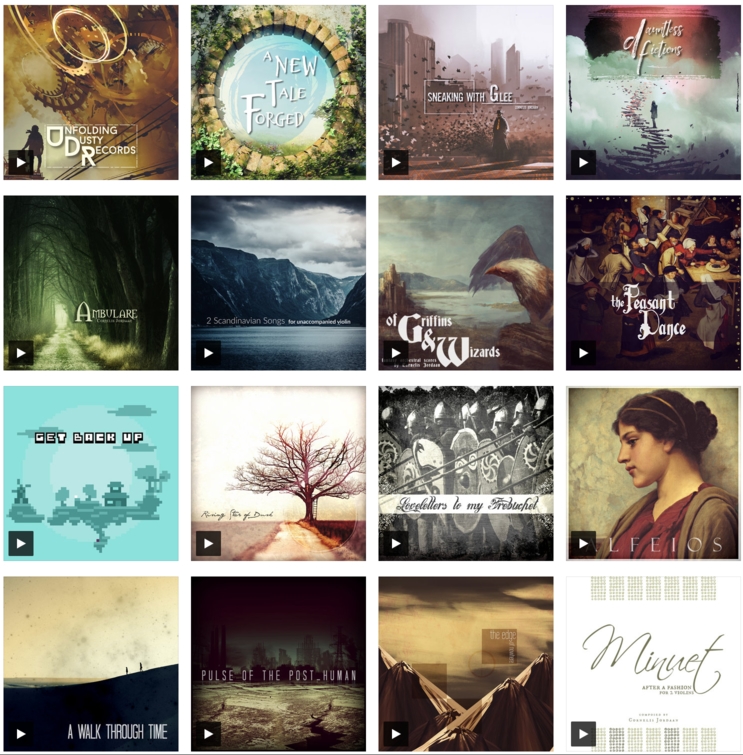
Minimal mode. Album art only, Instagram-style — for a cleaner, less structured look.
Built to run itself
Point it at an artist page once. Every new release after that shows up on its own.
Zero manual embedding
No more grabbing embed codes from Bandcamp one album at a time. Give it an artist URL and it does the rest.
Multi-artist galleries
Combine albums from several artists into one gallery, with automatic shuffling so it doesn't read as a stack of playlists.
Cached, so it's fast
Rendered galleries are cached — repeat page loads don't re-fetch anything from Bandcamp.
Customisable players
Toggle tracklists, switch to minimal player mode, and set link and tile colours to match your site's branding.
One simple shortcode
A handful of clear attributes and you're live — no template editing, no theme files.
No API key needed
Install it, point it at your Bandcamp artist page, and your albums appear. That's the whole setup.
Add it anywhere - post, page or widget
Below is a full example with every attribute set. Only id and bandcamp_urls are required — everything else has a sensible default.
[bandcamp-gallery id="my-gallery" bandcamp_urls="https://artist.bandcamp.com"  tracklist="true" minimal="false" max_albums="20"
  random="false" link_colour="ff6600" tile_colour="1a1a1a"
Requirements
Self-hosted WordPress
Version 7 or higher
PHP with cURL
Required to fetch and cache your Bandcamp catalog data.
TLS 1.3 support
Needed for secure requests to Bandcamp's servers.
No Bandcamp API key
Nothing to register or authenticate — just your public artist URL.
Every shortcode attribute
For the complete picture — defaults, requirements, and what each setting controls.
Setting
Required
Default Value
Description
id
yes
n/a
A unique value for each usage of this plugin. Caution - using the same name will lead to unsatisfactory results, always make sure this name is unique across your installation.
NOTE: Only alphanumeric characters, a dash (-) and an underscore (_) are allowed
bandcamp_urls
yes
n/a
The URL of your bandcamp artist page. Common examples include:
https://johndoe.bandcamp.com/music
https://johndoe.bandcamp.com
This field accepts multiple values. Example:
https://johndoe.bandcamp.com,https://janedoe.bandcamp.com
NOTE: Ensure there are no spaces between the items in the list
tracklist
no
true
Enables or disables the tracklist. Enabled by default
minimal
no
false
Enables or disables the mimimal player. This player includes only album art and no tracklist. Cannot be used in conjunction with tracklist option.
max_albums
no
10
Specifies the number of albums to show on the page.
random
no
false*
Randomises the gallery. When used in combination with multiple artists, value is set to true by default
link_colour
no
0687f5
Sets the colour of the links in the embed code. Defaults to hex value 0687f5
tile_colour
no
ffffff
Sets the background colour of the tile. Defaults to hex value ffffff
Give your catalog the showcase it deserves.
Install once. Let new releases appear automatically.
Support
For support or suggestions, get in contact via email